· Todd Martin · Home Appliances, Dishwasher Maintenance, Samsung Appliances · 15 min read
How To Get Samsung Dishwasher Off Low Rinse
Fix Samsung Dishwasher Low Rinse Setting
Are your dishes coming out with unsightly spots or remaining wet after a cycle? You might see a “low rinse” indicator on your Samsung dishwasher. This common signal tells you that the appliance needs more rinse aid. Addressing this quickly improves your dishwashing results. Learning how to get your Samsung dishwasher off low rinse settings is simple. I will guide you through the process step-by-step. This article covers understanding rinse aid, refilling the dispenser, adjusting settings, and troubleshooting common issues. You will soon enjoy perfectly clean, dry dishes.
Takeaway
To get your Samsung dishwasher off low rinse, follow these steps:
- Refill the rinse aid dispenser with quality rinse aid.
- Adjust the rinse aid dosage setting on your dishwasher if needed.
- Clean the dispenser to remove any clogs.
- Reset your dishwasher if the indicator persists.
Clear, Concise Answer to the Main Query
To get a Samsung dishwasher off low rinse, fill the rinse aid dispenser located inside the door. If the light persists, check the dispenser for clogs and adjust the rinse aid dosage setting through the control panel. Running a wash cycle often clears the low rinse indicator after refilling.
Understanding Rinse Aid and Your Samsung Dishwasher
Rinse aid is a simple solution. It helps your dishes dry better and shine more. Many people wonder why do I need rinse aid in dishwasher. Dishwashers use rinse aid during the final rinse cycle. It reduces the surface tension of water. This action prevents water droplets from forming and drying on your dishes. Without rinse aid, water spots and streaks often appear. Your dishes might also stay wet, requiring towel drying. This defeats the purpose of an automatic dishwasher.
Samsung dishwashers are smart appliances. They monitor many aspects of your wash cycle. They have a sensor for rinse aid levels. When the sensor detects a low amount of rinse aid, it triggers an indicator. This indicator might be a light on the control panel. It could also be a message on the display screen. This system helps you keep your dishwasher working its best. It ensures you always get clean, dry dishes.
The Purpose of Rinse Aid
Rinse aid makes water spread evenly. It stops water from clinging to surfaces. This leads to faster drying. It also leaves no residue. Imagine water beading up on a freshly waxed car. Rinse aid works similarly for your dishes. It forces the water to sheet off. This takes away minerals that cause spots. The result is sparkling glassware and cutlery. It is essential for a truly clean finish.
Using rinse aid also saves you time. You do not need to hand-dry items. Your dishwasher completes its job fully. This small step makes a big difference. It changes dishes from good to great. I always make sure my rinse aid dispenser is full. This ensures my dishes come out perfect every time.
How Samsung Detects Low Rinse Aid
Samsung dishwashers have sensors. These sensors detect the rinse aid level. The sensor is typically in the rinse aid dispenser itself. When the rinse aid level drops below a certain point, the sensor sends a signal. This signal activates the “low rinse” indicator. The indicator serves as a reminder. It tells you to refill the dispenser soon.
Some newer Samsung models might even estimate how much rinse aid is left. They can predict when it will run out. This warning helps you plan ahead. You can refill it before the dishes start spotting. Regular checking of this indicator is good practice. It keeps your dishwasher running at peak performance.
Locating and Filling the Rinse Aid Dispenser
Finding the rinse aid dispenser on your Samsung dishwasher is simple. It is a standard location across most brands. Look inside the dishwasher door. You will find a small compartment. It has a cover that you open or twist. This is where the rinse aid goes. Filling it correctly is important for proper function.
Filling the dispenser is a quick task. It should be done regularly. The frequency depends on how often you run your dishwasher. It also depends on the rinse aid setting. A fully filled dispenser can last several weeks or months. I find it easy to check it once a month. This way, I never run out unexpectedly.
Where is the Dispenser?
The rinse aid dispenser is a small, round or rectangular opening. It is usually next to the detergent dispenser. Both are on the inside panel of the dishwasher door. The dispenser cover often has a symbol. This symbol looks like a starburst or a fan. It indicates the rinse aid compartment. You open it by pushing a button or twisting the cap counter-clockwise.
Once open, you will see a small reservoir. This is where you pour the liquid rinse aid. Make sure you do not confuse it with the detergent dispenser. Detergent goes into a different, larger compartment. Rinse aid is for the separate, smaller one. It is clear and easy to identify.
Proper Filling Techniques
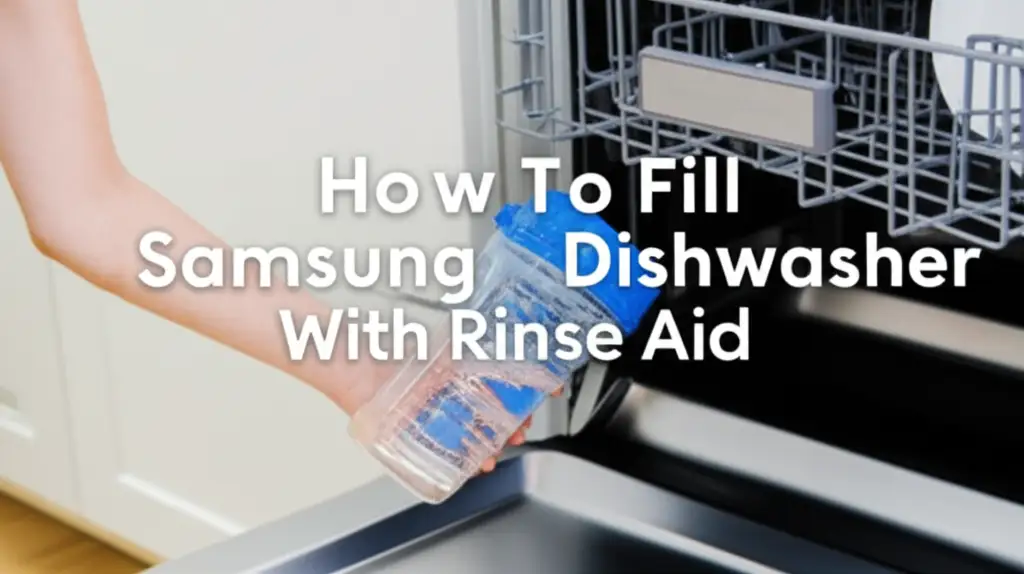
Filling the rinse aid dispenser correctly prevents spills. It also ensures the sensor works. First, open the dispenser cover. Pour liquid rinse aid into the opening. Fill it slowly. Avoid overfilling past the “max” line. Most dispensers have a clear “max” fill line. This line shows the highest safe level.
If you spill any rinse aid on the dishwasher door, wipe it immediately. Rinse aid can cause excessive suds if it gets into the main tub. Use a damp cloth to clean up any spills. Then, close the dispenser cover firmly. Make sure it clicks into place. This prevents leaks during the wash cycle. Sometimes, after filling, you might need to run a cycle. This helps the dishwasher detect the new level. It will then turn off the low rinse indicator. If you’re curious about different types of rinse aid, including alternatives, you might find this article on how to use vinegar as rinse aid in dishwasher helpful.
Adjusting Rinse Aid Dispenser Settings on Samsung Models
Sometimes, just refilling the dispenser is not enough. You might need to adjust the rinse aid dosage. Samsung dishwashers often allow you to control this setting. This is useful for different water hardness levels. It also helps if you notice too many streaks or too much foam. Getting the right setting ensures ideal performance.
Adjusting the setting typically involves the control panel. The steps vary slightly by model. However, the basic principle remains the same. You access a menu or press a button sequence. This lets you increase or decrease the amount of rinse aid dispensed. I remember adjusting mine when I moved to a new house with harder water. It made a noticeable difference.
Accessing the Dispenser Settings
To change the rinse aid setting, first locate your dishwasher’s control panel. This is usually on the top edge of the door or on the front. Look for buttons like “Settings,” “Options,” or a combination of buttons. You may need to press and hold specific buttons. Refer to your Samsung owner’s manual for exact instructions. This manual is your best guide for your specific model.
Once in the settings menu, look for “Rinse Aid” or “Drying.” You will then see options to adjust the dosage. Levels often range from 1 to 5. Level 1 means less rinse aid. Level 5 means more. Start with the recommended setting. Adjust it up or down based on your dishes’ drying performance.
Common Samsung Models and Adjustments
Samsung models have different ways to adjust settings. For many, you might turn on the dishwasher. Then, press and hold “Start” or “Delay Start” for a few seconds. This enters a program mode. From there, you might use the “Sanitize” or “Heavy” button to cycle through options. The display will show numbers or letters representing the rinse aid level. Press “Start” again to save the new setting.
Some models might have a dedicated “Rinse Aid” button. Others integrate it into the cycle options. If your dishes are still streaky, increase the setting. If you see excessive suds, decrease it. It might take a few cycles to find the perfect level. Experimenting a bit is normal. If you’re trying to figure out how to manage both rinse aid and salt, this article on how to put rinse aid and salt in dishwasher can provide further guidance. Understanding how other dishwashers manage rinse aid, like why a Bosch dishwasher uses so much rinse aid, can offer general insights into dosage control too.
Troubleshooting Persistent Low Rinse Aid Indicators
Sometimes, the low rinse indicator stays on even after you fill the dispenser. This can be frustrating. It means there is another issue. Do not worry. Several reasons can cause this. We can often fix these problems at home. It usually involves checking the dispenser or the dishwasher’s electronics.
Persistent indicators mean the sensor is not reading correctly. Or, the rinse aid is not dispensing. I have had this happen before. A little investigative work usually solves it. It saves a service call. Let us explore common causes and solutions. For more general troubleshooting, you can also look at why is the rinse aid light on dishwasher for broader reasons the light might stay on.
Dispenser Clogs or Malfunctions
The most common reason for a persistent low rinse indicator is a dispenser problem. The dispenser opening or nozzle can become clogged. This happens from old rinse aid drying up. It can also happen from detergent residue. A clog prevents new rinse aid from reaching the sensor. It also stops it from dispensing into the wash.
To fix this, clean the dispenser thoroughly.
- Open the dispenser cover.
- Use a small brush, like a toothbrush, or a cotton swab.
- Clean around the opening and inside the reservoir.
- You can use warm water and a little dish soap.
- Rinse it well.
- Ensure no old residue blocks the dispenser. Sometimes, the dispenser’s internal mechanism can fail. If cleaning does not work, the dispenser might need replacement. This is less common but possible.
Control Panel Glitches
Electronics can sometimes act up. A temporary glitch in the control panel might cause the indicator to stick. This means the dishwasher thinks it is low even when it is not. A simple reset often fixes these minor electronic issues. It clears the system’s memory.
To reset your Samsung dishwasher:
- Turn off the dishwasher at the power outlet.
- Unplug the dishwasher from the wall.
- Wait for about 5-10 minutes. This allows the internal components to discharge.
- Plug the dishwasher back in.
- Turn it on. This hard reset can clear the error code. It might make the low rinse indicator disappear. If the light comes back after a wash cycle, the issue is likely mechanical or a more serious electrical fault.
Optimizing Dishwasher Performance Beyond Rinse Aid
While rinse aid is crucial, it is one part of a bigger picture. To get truly sparkling dishes, other factors matter. Water quality, loading techniques, and regular maintenance play big roles. Addressing these points ensures your Samsung dishwasher performs its best. I have learned over time that a holistic approach yields the best results. It makes dishwashing less of a chore.
Consider these additional tips to boost your dishwasher’s efficiency. They go beyond just keeping the rinse aid full. They help prevent common problems. They also extend the life of your appliance. A well-maintained dishwasher works more effectively.
Water Hardness Considerations
Water hardness significantly affects dishwashing results. Hard water contains high levels of minerals like calcium and magnesium. These minerals can leave white spots and film on dishes. Even with rinse aid, hard water can be a challenge. If you have hard water, you might need to use more rinse aid. You could also increase the rinse aid setting on your dishwasher.
Using a water softener can also help. A water softener removes these minerals from your home’s water supply. This reduces spotting and improves detergent effectiveness. Some dishwashers have built-in water softeners, but most do not. Testing your water hardness can help you adjust your dishwasher settings correctly. I use water softener salt in my dishwasher to tackle hard water.
Proper Loading Techniques
How you load your dishwasher impacts its cleaning power. Improper loading can block spray arms. It can prevent water and detergent from reaching all surfaces. This leads to dirty dishes and wasted effort. Make sure items do not nest together. Do not block the spray arms.
Here are some tips:
- Place larger items like pots and pans on the bottom rack.
- Put glasses, cups, and bowls face down on the top rack.
- Do not overcrowd the dishwasher. Leave space for water to circulate.
- Point dirty surfaces towards the spray arm.
- Separate silverware. Avoid nesting spoons. Proper loading ensures water and rinse aid reach every dish. This leads to better cleaning and drying. It helps your dishwasher work efficiently. For overall maintenance, knowing where is filter in Samsung dishwasher can also improve cleaning results by ensuring proper drainage and water circulation.
When to Call for Professional Service
While many dishwasher issues are solvable at home, some require expert help. Knowing when to call a professional saves you time and prevents further damage. If you have tried all the troubleshooting steps and the low rinse indicator persists, it might be time for a technician. Do not try to fix complex internal problems yourself. This can void your warranty or cause more issues.
A professional has the right tools and knowledge. They can diagnose complex electrical or mechanical faults. They ensure your Samsung dishwasher works safely and correctly. I always recommend calling a professional if I feel unsure. Safety comes first.
Identifying Serious Issues
Several signs point to a problem beyond a simple rinse aid refill or setting adjustment:
- Constant Error Codes: If your control panel shows persistent error codes unrelated to rinse aid, it indicates a deeper issue.
- No Dispensing at All: If the rinse aid dispenser never empties, even after cleaning and adjustment, the dispensing mechanism might be broken.
- Water Leaks: Any water leaking from the dishwasher is a serious problem. Turn off the water supply and call for service immediately.
- Unusual Noises: Grinding, banging, or screeching sounds during operation often mean internal components are failing.
- No Power: If your Samsung dishwasher completely loses power and a simple reset does not fix it, there could be an electrical problem. You can check this if your Samsung dishwasher is not turning on.
These symptoms suggest a professional is needed. They can diagnose the issue safely. They can also provide a lasting solution. Do not delay seeking help for serious problems. Early intervention can prevent more extensive damage.
What a Professional Will Do
When a professional comes, they will perform a thorough check. They will use specialized tools to diagnose the problem. This includes testing electrical components and inspecting mechanical parts. They can identify if the rinse aid sensor is faulty. They can also check if the dispenser motor is broken.
They can repair or replace faulty parts. This might include the rinse aid dispenser assembly. They can also fix control board issues. A professional repair ensures your dishwasher functions properly again. They provide peace of mind. It also saves you from potentially damaging your appliance further. Always choose a certified Samsung technician for repairs. This ensures quality service and compatible parts.
FAQ Section
Why is my Samsung dishwasher still showing low rinse after refilling?
The low rinse indicator might persist if the dispenser is clogged or the sensor is faulty. Clean the dispenser thoroughly to remove any residue. Try a hard reset by unplugging the dishwasher for a few minutes. If it still shows low rinse, the sensor might need professional inspection or replacement.
Can I run my Samsung dishwasher without rinse aid?
Yes, you can run a Samsung dishwasher without rinse aid. However, your dishes may not dry completely. You might see water spots and streaks, especially in areas with hard water. While possible, it is not recommended for optimal results. Running without rinse aid can lead to less effective drying performance. Some users choose to run their dishwasher without rinse aid, similar to how to run LG dishwasher without rinse aid, but expect different drying outcomes.
What kind of rinse aid should I use for a Samsung dishwasher?
Most liquid rinse aid brands are compatible with Samsung dishwashers. Look for rinse aids designed for automatic dishwashers. Popular brands include Finish Jet-Dry or Cascade Rinse Aid. Always choose a product specifically labeled as rinse aid. Avoid using dish soap or other cleaners in the rinse aid dispenser.
How often should I refill the rinse aid in my Samsung dishwasher?
The refill frequency depends on your rinse aid dosage setting and how often you use the dishwasher. A full dispenser usually lasts several weeks to a few months. Check the indicator light before each wash. Or, you can make it a habit to check the dispenser every few weeks.
Does rinse aid affect drying time?
Yes, rinse aid significantly affects drying time. It helps water sheet off dishes more effectively. This reduces the amount of water remaining on surfaces. This allows for faster and more complete drying. Without rinse aid, dishes often remain wet, requiring longer drying cycles or manual towel drying.
What does a low rinse aid light look like on a Samsung dishwasher?
The low rinse aid light on a Samsung dishwasher typically looks like a starburst or a sun symbol. It is usually orange or red. It appears on the control panel. On models with a digital display, you might see a message like “Lo r” or “Rinse Aid Low.” Consult your owner’s manual for the exact symbol for your model.
Conclusion
Getting your Samsung dishwasher off low rinse is usually a straightforward process. It starts with understanding why rinse aid is important. Then, you need to properly refill the dispenser. Often, this is all it takes to solve the problem. Remember to check for clogs or adjust the dispenser’s settings if the light stays on. These simple steps ensure your dishes come out sparkling clean and dry every time.
By maintaining your rinse aid levels, you keep your dishwasher working its best. This prevents common issues like water spots and streaks. It also extends the life of your appliance. Do not let a small indicator light disrupt your dishwashing routine. Take control. Enjoy perfectly clean dishes with confidence. If you encounter persistent problems after trying these steps, consider calling a certified professional. They can provide the necessary expertise. Happy dishwashing!
- Samsung dishwasher
- low rinse aid
- rinse aid setting
- dishwasher troubleshooting
- sparkling dishes
- appliance care

Todd Martin
Senior Writer
With over 15 years of experience in home renovation and design, I started HEG to share what I’ve learned with homeowners who want to create spaces that are both beautiful and functional. I’ve always believed in a hands-on approach, and over the years, I’ve picked up practical solutions that actually work. Through HEG, I aim to make home improvement more approachable, sharing real tips that help you create a home you truly love.